2 Avatars & Obstacles
Avatars
In computing, an avatar (also known as a profile picture or userpic) is a graphical representation of a user or the user's character or persona. It may take either a two-dimensional form as an icon in Internet forums and other online communities or a three-dimensional form, as in games or virtual worlds.
In Pong we have seen the most basic version of an Avatar, when a simple rectangle represents the player on screen. But sometimes we want to have a more complex avatar, like a character or a creature. Then, loading bitmap images is a good way to achieve it.
Loading Images
We´re using an image file to represent the player on screen.
 let img;

  function preload() {
    img = loadImage('spaceship.png');
  }

  function setup() {
    createCanvas(600, 400);
  }

  function draw() {
    background(0);
    image(img, mouseX, 300, 100,100);
  }
Note the preload() function! It is executed before the sketch starts and the whole programme waits until all files are loaded.
Assignment
Find your own Avatar online, upload it to your sketch and use it in your programme. Make shure it is a PNG so you can have tansparencies!
Obstacles
Arrays
Arrays are chains of variables or fields in which several values can be stored. You can use them well as a replacement for several variables. They have a name and comprise several values each of which is accessed with a key.
More on Arrays: Link
One way to generate backgrounds for game levels is to divide the screen into squares. Then the squares are filled with different types of elements.
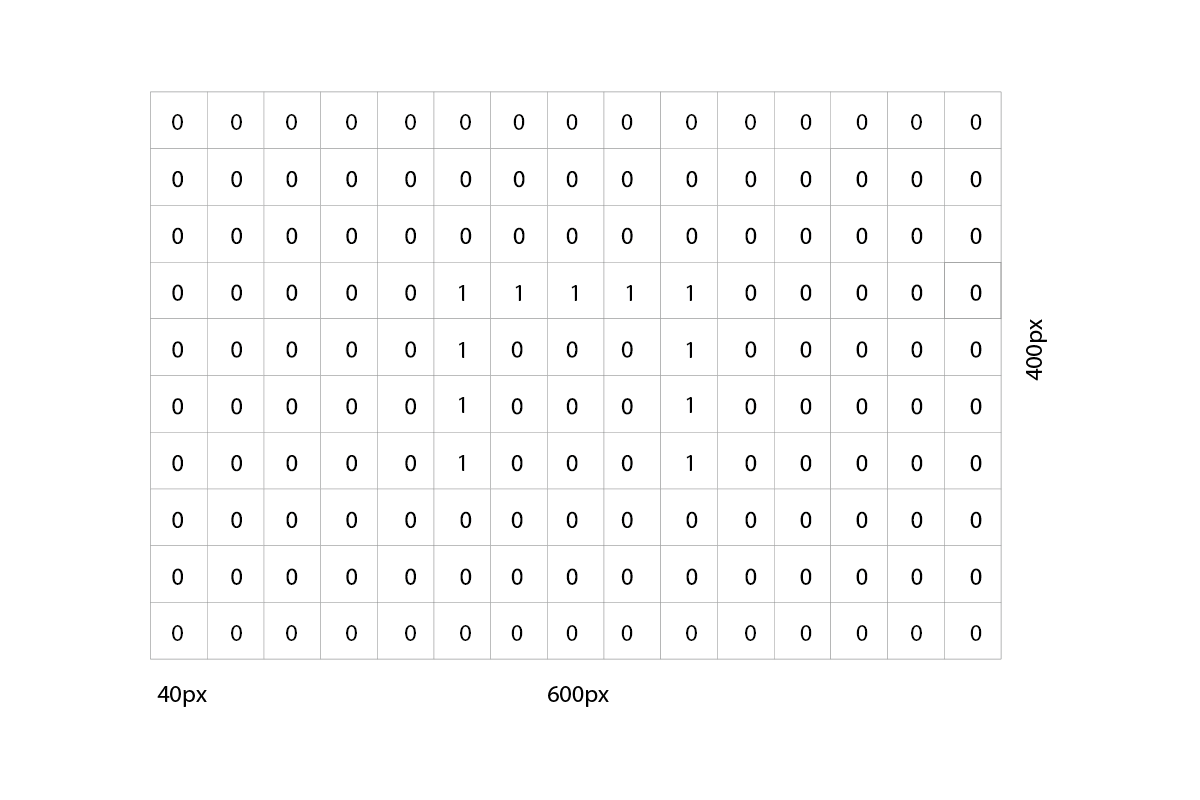
The data is best stored in an array.
  //Array to store the level map
  var levelMap = [
    0, 0, 0, 0, 0, 0, 0, 0, 0, 0, 0, 0, 0, 0, 0,
    0, 0, 0, 0, 0, 0, 0, 0, 0, 0, 0, 0, 0, 0, 0,
    0, 0, 0, 0, 0, 0, 0, 0, 0, 0, 0, 0, 0, 0, 0,
    0, 0, 0, 0, 0, 1, 1, 1, 1, 1, 0, 0, 0, 0, 0,
    0, 0, 0, 0, 0, 1, 0, 0, 0, 1, 0, 0, 0, 0, 0,
    0, 0, 0, 0, 0, 1, 0, 0, 0, 1, 0, 0, 0, 0, 0,
    0, 0, 0, 0, 0, 1, 0, 0, 0, 1, 0, 0, 0, 0, 0,
    0, 0, 0, 0, 0, 0, 0, 0, 0, 0, 0, 0, 0, 0, 0,
    0, 0, 0, 0, 0, 0, 0, 0, 0, 0, 0, 0, 0, 0, 0,
    0, 0, 0, 0, 0, 0, 0, 0, 0, 0, 0, 0, 0, 0, 0
  ]
The array data then can be read and used to generate a 2-dimensional matrix for the background.
  for(var x = 0; x < 15; x++){
      for(var y=0; y < 10; y++){
          var tst=levelMap[y*15+x];
          if (tst==1){
        rect(x*stepSize+(stepSize/2), y*stepSize+(stepSize/2), stepSize, stepSize);
      }
    }
  }
for-loops
  for(var i = 0; i < 10; i++){
    // do something
  }
More about for-loops: Link
Displaying the background
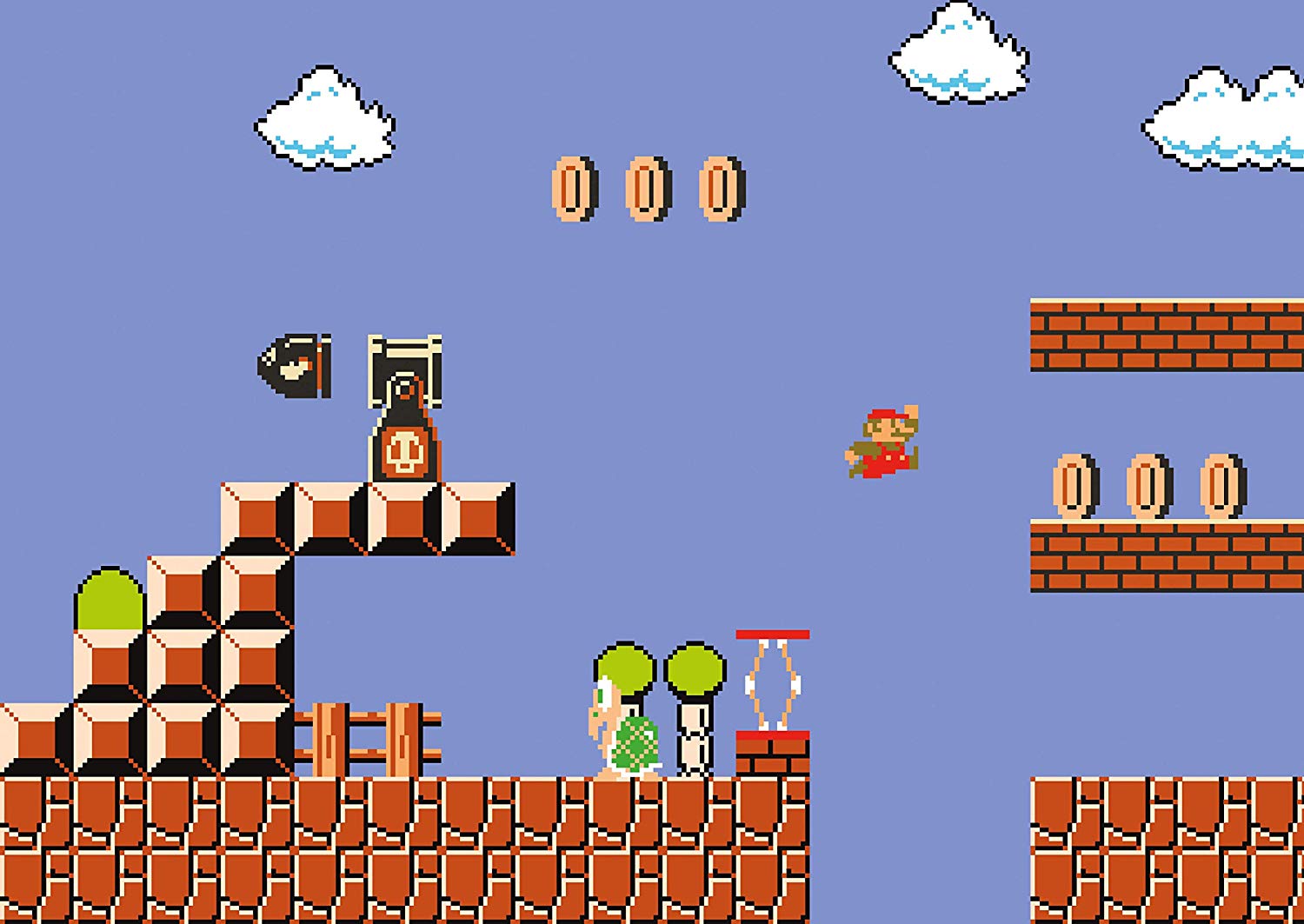
We can display the background by using a for-loop to iterate through the array and draw the squares.
  for(var i = 0; i < 10; i++){
    // do something
  }
Simple collision detection with the background
Now that we have our background, we want to check, if our avatar runs into the orange walls.
As we know the coordinates of the walls and our avatar in the matrix of the 2D game world, we can simply compare them. Therefore, we check the coordinates of the next step each time a key is pressed. If there is a wall coming up we don`t do the step. If there is space for us to move into, we do the step.
Here`s a function that checks for upcoming walls:
 function checkObstacle(dir, x, y) {
    obstacle = false;
    linearPos = y * 15 + x;
    if (dir == "left" && levelMap[linearPos - 1] == 1) {
      obstacle = true;
    }
    if (dir == "right" && levelMap[linearPos + 1] == 1) {
      obstacle = true;
    }
    if (dir == "up" && levelMap[linearPos - 15] == 1) {
      obstacle = true;
    }
    if (dir == "down" && levelMap[linearPos + 15] == 1) {
      obstacle = true;
    }
    return obstacle;
  }